The AI Web Build Stack: Which Tool to Use at Every Stage
Here's something that should make you pause: a 2025 randomized controlled trial by METR found that experienced developers using Cursor Pro and Claude finished complex open-source tasks 19% slower than those working without AI — and still believed they'd sped up by 20% (METR, Jul 2025). The tools weren't failing them. The match between tool and task was.
Compare that with a Microsoft Research study showing GitHub Copilot users completed a well-defined HTTP server implementation 55.8% faster (GitHub / Microsoft Research, 2023). Same category of tool. Opposite outcome. The difference? Specificity. A scoped task, handed to the right tool, in the right context.
This article maps a five-stage AI web build workflow — using a marketing landing page as the scenario — where each stage is assigned to the AI tool built for it, and every tool's output feeds directly into the next.
Key Takeaways
- Developers using AI on unscoped tasks worked 19% *slower* but felt 20% faster (METR, 2025). The stage-by-stage workflow is the structural fix.
- The 5-stage stack: Claude (plan) → Stitch + v0 (design) → Nano Banana (assets) → Claude Code or Cursor (build) → Claude (review).
- Claude appears at Stage 1 and Stage 5 intentionally — it plans the work, then reviews the output against the original intent.
Why treating AI like a project manager is the foundation of this workflow →
Why the Wrong AI Tool at the Wrong Stage Slows You Down
Context switching already costs developers up to 40% of their productive time — before AI even enters the picture (American Psychological Association via Speakwise, 2026). Using a code tool during planning, or a general-purpose chat model during active implementation, compounds that cost. Every mismatched tool adds a context switch that fragments focus across a build.
The METR study is a useful corrective to the hype. Its finding — developers 19% slower with AI — applied to complex, poorly-scoped tasks across an unfamiliar codebase. When a task is well-defined and handed to a tool built for it, the result flips completely. GitHub Copilot's controlled experiment showed a 55.8% speedup on a clear, bounded implementation task with a known codebase.
The METR and Copilot studies aren't contradicting each other — they're describing two different states of task readiness. Unscoped tasks with unclear context slow AI-assisted development down. Scoped tasks with rich context speed it up significantly. The stage-by-stage workflow creates that readiness *before* you write a single line of code. By the time you reach Stage 4, the build task is defined, documented, and resourced.
What's the fix? A structured sequence where each tool gets a specific, scoped task — and the output of one stage becomes the input brief for the next.
According to a 2026 analysis by Speakwise citing Gloria Mark's UC Irvine research and the American Psychological Association, frequent context switching consumes up to 40% of productive time, with an average 23-minute recovery window needed after each deep-focus interruption. In AI-assisted development, this effect compounds when developers use multiple tools without defined handoff triggers — each tool switch adds cognitive overhead that the stage-by-stage workflow is designed to eliminate.
How to structure AI task handoffs across your team →
Stage 1: Plan With Claude

Only 33% of developers trust AI outputs, and 46% actively distrust AI accuracy (Stack Overflow Developer Survey, 2025). That trust problem is significantly worse when the AI is operating without sufficient context. In the planning stage, Claude's job is to *generate* that context — for itself and for every tool that follows.
A well-structured planning session with Claude produces four things: a sitemap, a tech stack recommendation, a section-by-section page breakdown with content requirements, and a handoff spec that subsequent tools can read directly. The spec document is the product of Stage 1. Everything else in the workflow depends on it.
Here's the brief that works:
*"You are planning a marketing landing page for [business type]. The target customer is [description]. Generate: 1) a sitemap of all pages and sections, 2) a recommended tech stack with reasoning, 3) a section-by-section breakdown of the homepage with content requirements for each section, and 4) a structured handoff spec summarising all decisions for the next build stage."*
Claude's strength here is structured reasoning across full context. It doesn't lose track of constraints across a long conversation, and its output can be formatted precisely for consumption by Stitch, v0, and Claude Code later. Don't edit the spec before handing it to the next stage. Don't summarise it. Pass it whole — that context is the asset.
According to Stack Overflow's 2025 Developer Survey of 49,000+ respondents across 177 countries, 84% of developers use or plan to use AI tools in development — yet only 33% trust the output. Tools with the highest trust ratings are those given the clearest briefs on the most well-defined tasks, which is precisely why the planning spec document is the most valuable artifact in this entire workflow.
Stage 2: Design With Stitch and v0
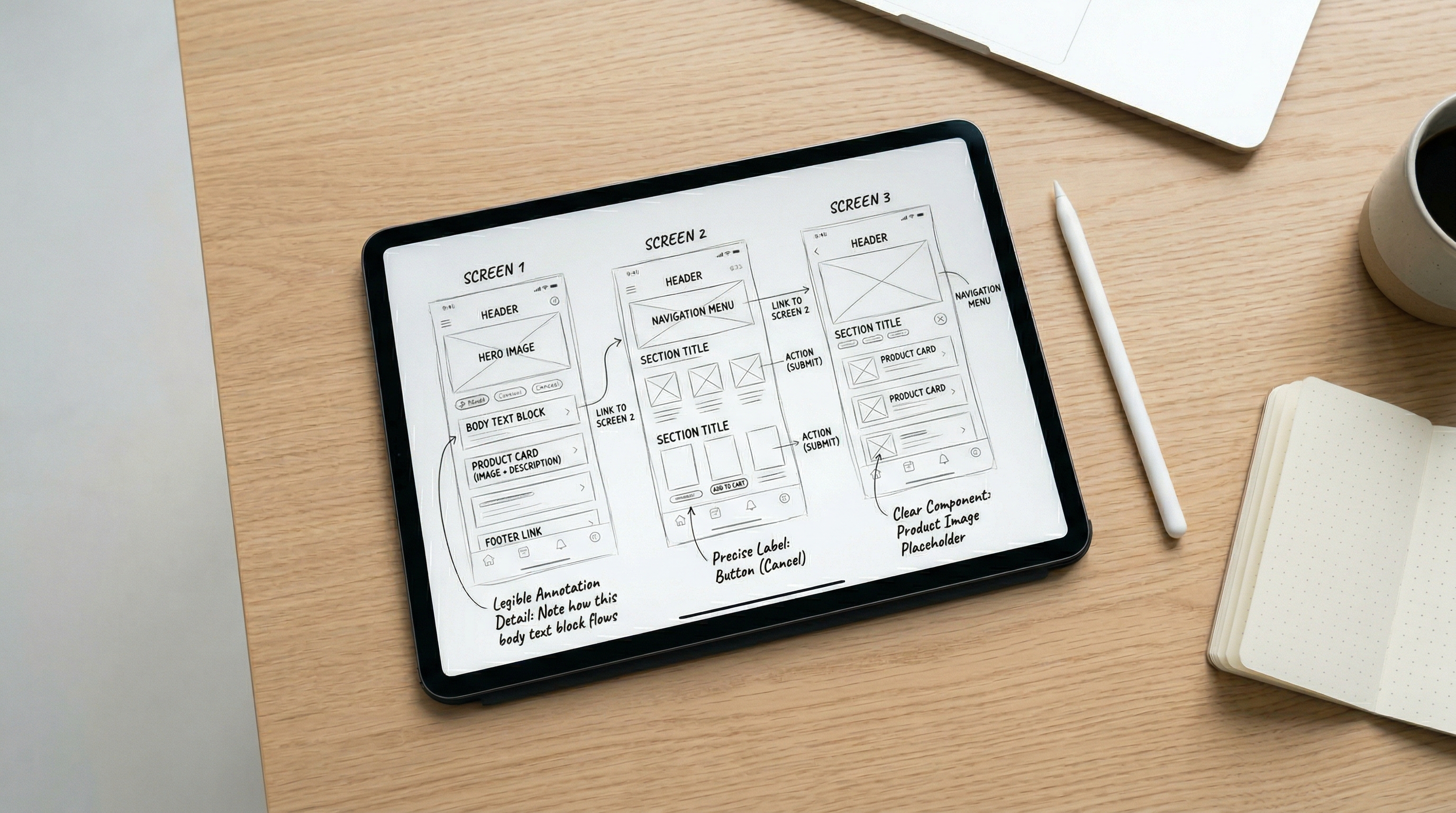
A 2025 Figma survey of 2,500 designers and developers found that 78% say AI significantly speeds up their design workflows, and 33% already use AI to generate design assets (Figma 2025 AI Report, 2025). Design is one of the stages where AI delivers the clearest returns — and Stitch and v0 are built to work in sequence, not as alternatives to each other.
Why run them in sequence rather than jumping straight to v0? Because design direction has to be locked before component code gets written, or you end up revising components during the build phase — which is expensive.
Stitch, Google's AI design tool, takes written descriptions and generates visual UI layouts and component designs. Feed it the spec document from Stage 1 — page sections, content requirements, target audience, brand direction — and it produces a visual design output. That's its job. It doesn't generate code. It generates design decisions.
v0, Vercel's AI component generator, picks up where Stitch leaves off. Feed it the design direction plus the component requirements from the spec, and it converts them into working React/Tailwind code. Pass the Stitch outputs as visual reference alongside the spec's component list. The two tools are sequential, not competing: Stitch decides what things look like, v0 turns that decision into something a browser can render.
Most developers treat Stitch and v0 as alternatives — "design AI" versus "component AI." They're actually a pipeline. Stitch produces direction; v0 executes it. Treating them as substitutes means missing the compound gain of running them in sequence, and asking v0 to make design decisions it isn't optimized for.
According to the Figma 2025 AI Report, 33% of designers now use AI to generate design assets, and 22% use it to create first drafts of interfaces. For development teams, the implication is direct: the design phase is compressible with AI — but only when the AI is working from a clear brief rather than a blank canvas.
Stage 3: Generate Visual Assets With Nano Banana

Stage 3 sits between design and build deliberately. Only 32% of product builders say they can currently rely on AI output without review (Figma 2025 AI Report, 2025) — which means asset generation needs a human checkpoint before the images go into the codebase. Placing it here creates that checkpoint naturally, without blocking the build phase.
Nano Banana handles hero images, product illustrations, and supporting visuals. The brief it needs comes directly from two places: the spec document from Stage 1 (brand direction, section descriptions) and the design output from Stage 2 (color palette, visual tone, layout dimensions). Feed it both. Visual consistency across assets doesn't happen by accident — it happens because the same brand brief that informed the design informs the image generation.
A practical approach: generate 3-4 variations of each key image, pick the one that fits the Stitch design direction, and export in the dimensions the layout requires. Name each file to match the section name in the spec — `hero.jpg`, `features-illustration.png`, `testimonial-bg.jpg`. This naming matters. When Claude Code builds Stage 4, it should never need to guess what an image is for or where it goes.
The handoff from Stage 3 to Stage 4 is a folder: named image files, correct dimensions, organized to match the spec's section structure. The build stage shouldn't be making image decisions — those decisions are already made and documented.
According to the Figma 2025 AI Report, only 32% of designers and developers say they can rely on AI output in their work without review. This makes the human checkpoint between Stage 3 and Stage 4 non-negotiable: review Nano Banana's outputs against the Stitch design direction before anything passes to the build phase.
Stage 4: Build With Claude Code or Cursor

As of January 2026, Claude Code and Cursor are tied for second in developer AI tool adoption at work — each used by 18% of developers globally, with Claude Code growing 6x in just nine months (JetBrains Research, Apr 2026). They're the two highest-rated coding AI tools by developer satisfaction. They're also different enough that choosing the wrong one for the current task is a real cost.
So which do you reach for? Here's the decision framework:
Reach for Claude Code when:
- You're feeding in the full Stage 1 spec and need it to understand the entire project context
- The task spans multiple files — page structure, component integration, routing, metadata
- You want it to make architectural decisions with the full spec in mind
- You're implementing something where reasoning about intent matters as much as execution
Reach for Cursor when:
- You're already mid-build and want fast inline suggestions as you type
- The change is scoped to one component, one function, or one file
- You'd rather stay inside your editor than work through a terminal
- Local file context is sufficient for what you're doing
Stage 4 is where this workflow delivers its most visible payoff. By the time you enter the build phase, you're handing Claude Code or Cursor a complete spec from Stage 1, component code from v0, and a folder of named image files from Nano Banana. The task is scoped. The context is rich. That's the setup that shifts outcomes from the METR result (19% slower) toward the Copilot result (55.8% faster).
According to JetBrains Research's January 2026 survey, Claude Code carries a 46% "most loved" developer rating and Cursor a 42% rating — compared to GitHub Copilot's 9%. Despite Copilot's higher adoption at 29%, developer satisfaction strongly favors the newer tools. For teams choosing a build-stage AI: adoption rate doesn't equal fit. The chart above shows exactly this — high market share doesn't mean high developer love.
Stage 5: Review With Claude (Yes, Again)
Claude appears twice in this workflow — at Stage 1 and Stage 5. That's intentional, and it's the most structurally useful decision in the chain.
As of 2026, 90% of developers globally use at least one AI tool at work (JetBrains Research, Apr 2026) — yet only 33% trust AI output enough to act on it without review (Stack Overflow, 2025). The review stage is where that trust gap gets closed systematically. Skipping it is how context drift — code that technically works but doesn't match the original intent — gets shipped.
Using Claude to review a build it originally planned isn't redundant. It's the only tool in the chain that holds context of what you *intended* before the first line of code was written. Feed it the original Stage 1 spec alongside the completed codebase and ask it to do four things:
- Code quality — does the implementation follow the patterns the spec defined?
- Accessibility — semantic HTML, ARIA labels, keyboard navigation, color contrast
- Performance — unoptimized images, render-blocking resources, unnecessary re-renders
- Intent alignment — does the delivered page match what the spec asked for?
That fourth check is the one only Claude can perform at this point in the workflow. Ask directly: *"Compare this implementation against the original spec from Stage 1. What's inconsistent, missing, or different from what was planned?"*
Closing the review loop with the planning AI creates an intent check that no fresh review tool can replicate. The same model that defined "done" is the one verifying you got there. It's not just useful — it's a structural advantage of using the same tool at both ends of the chain. Drift from original intent is visible in a way it wouldn't be to a reviewer encountering the project for the first time.
According to Stack Overflow's 2025 Developer Survey of 49,000+ developers, only 33% trust AI output and 46% actively distrust AI accuracy. The review gate exists for this reason: not because AI gets it wrong often, but because the systematic check takes 10 minutes and prevents the kind of drift that takes hours to untangle post-launch.
What the Complete Handoff Chain Looks Like
The power of this workflow isn't any single tool — it's the structure of the handoffs. Each stage produces a specific, usable output that the next stage consumes without ambiguity.
- Stage 1 output: Structured spec document — sitemap, tech stack, section breakdown, handoff notes
- Stage 2 output: Stitch design assets + v0 component code, labeled to match the spec sections
- Stage 3 output: Named image files in the correct dimensions, organized by spec section
- Stage 4 output: A working implementation, built against the spec with all assets referenced
- Stage 5 output: A reviewed, corrected, ship-ready site — with a documented record of what was checked
Human review gates sit between stages — between Stage 1 and Stage 2 (review the spec before design), between Stage 2 and Stage 4 (review component code before building), and after Stage 5 (final approval before shipping). You don't review everything. You review the handoffs.
This is exactly what converts the METR problem into the Copilot outcome. By Stage 4, the build task isn't complex and ambiguous — it's scoped, documented, and resourced. That's the condition where AI coding tools accelerate rather than impede.
Start With One Stage, Not Five
You don't need to run all five stages from day one. Pick the one that matches your current biggest friction point. If planning takes too long, start with Stage 1. If your UI components feel inconsistent, start with Stage 2 and v0. If the build phase keeps getting blocked waiting on images, Stage 3 solves that immediately.
The full chain compounds over time. But the first stage you add still delivers value on its own — and gives you a working handoff output that makes the next stage easier to add when you're ready.
Conclusion
The right AI tool at the right stage isn't a nice-to-have — it's what separates the 55.8% speedup from the 19% slowdown. The tools in this stack are all capable. What makes the difference is the sequence: each one receives a scoped task with a well-structured input, and produces a specific output that the next tool can actually use.
Start with the stage that matches your biggest friction point. Add the next stage when the first one is running smoothly. The compounding happens gradually — and by the time you're running all five, you'll wonder how you ever built without the chain.